
Lead
Lead is a term used in RareBooks for any potential customer or client who has shown interest in the products or services offered.
Lead Status
Section titled “Lead Status”A Lead can have various statuses based on the stage of engagement:
| Status | Description | | :------------- | :---------------------------------------- | | Open | Newly created and yet to be engaged. | | Replied | Replied to initial engagement. | | Interested | Shown interest in the product or service. | | Opportunity | Opportunity for business. | | Converted | Converted to a Customer or client. | | Quotation | To sent a Quotation. | | Do not Contact | Marked as not to be contacted. |
Note: Ensure to update the status of the Lead appropriately as it progresses through different stages.
Lead Fields
Section titled “Lead Fields”- Name: The full name of the Lead. This is a required field to uniquely identify each Lead.
- Status: The current status of the Lead. It indicates the stage of engagement with the Lead and it will be updated automatically based on your actions against the lead.
- Email: The email address of the Lead. This is used for communication and may be displayed when printing invoices or other documents.
- Mobile: The mobile phone number of the Lead. This is used for quick contact and may also be displayed when printing invoices or other documents.
- Address: The physical address associated with the Lead. This can include street, city, state, and postal code, and is useful for sending physical correspondence or deliveries.
Actions
Section titled “Actions”The Lead Quick Edit Form includes actions to create associated documents like Customer or Sales Quote.
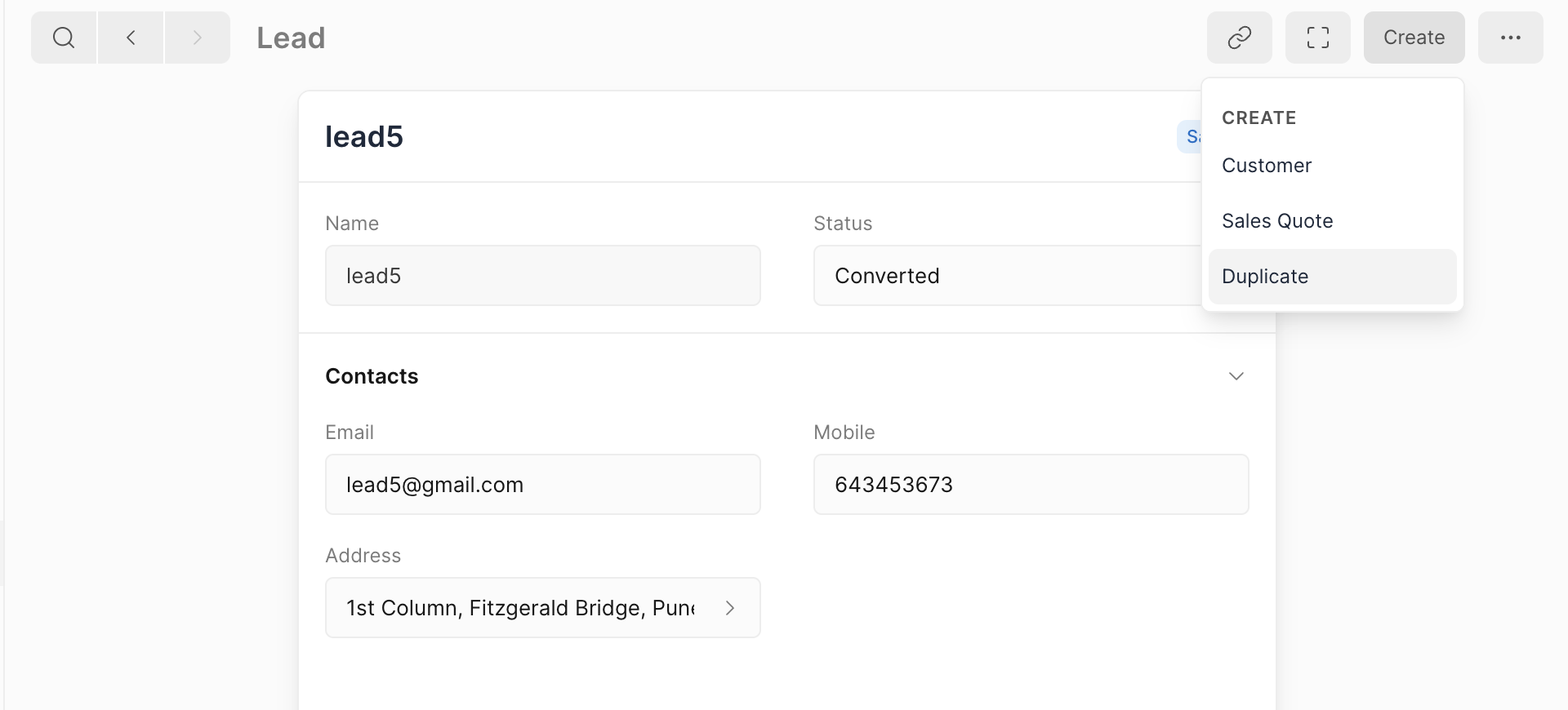
Create Customer
Section titled “Create Customer”- Converts the Lead into a Customer, retaining all relevant information.
- Sets the status of the Lead to Converted.
Create Sales Quote
Section titled “Create Sales Quote”- Creates a Sales Quote against the Lead.
- Links the Sales Quote to the Lead as a reference.